MX Record Lookup: How to Check and Troubleshoot Email DNS Records
MX records tell the internet which mail servers are responsible for receiving email for a domain. If MX records are missing, incorrect, or still pointing to an old provider, incoming messages may be delayed, rejected, or delivered to the wrong platform.
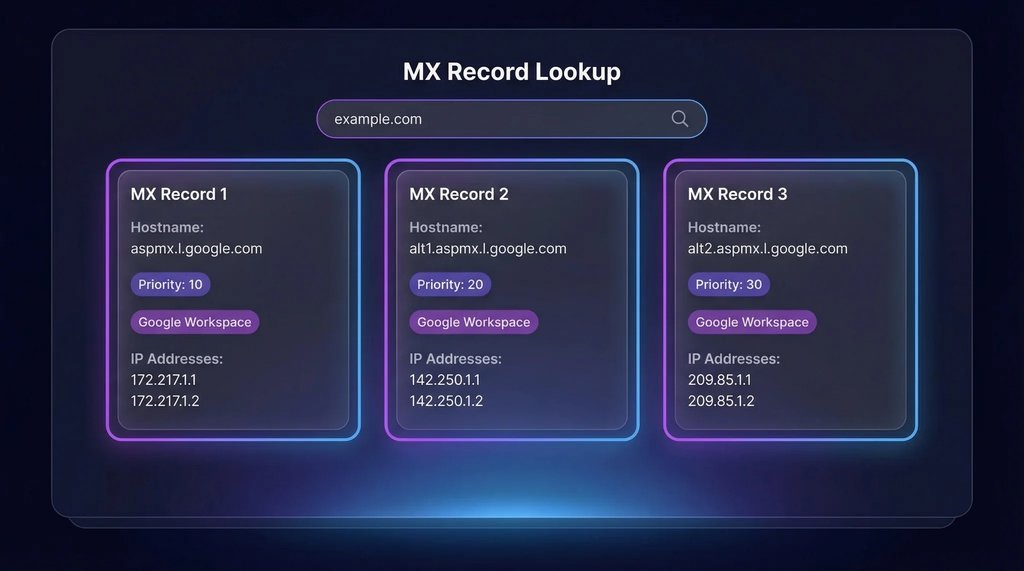
An MX record lookup allows you to view the mail servers and priority values currently published for a domain.
What Is an MX Record?
MX stands for Mail Exchange. An MX record directs incoming email toward a mail server hostname.
Example:
example.com MX 10 mail1.example.net
example.com MX 20 mail2.example.net
In this example, mail1.example.net has a lower priority number and is normally preferred before mail2.example.net.
How MX Record Priority Works
Lower numerical values normally represent higher preference.
Example:
- Priority 0: first choice
- Priority 10: preferred before priority 20
- Priority 20: secondary destination
If multiple MX records have the same priority, sending systems may distribute delivery attempts between them.
How to Perform an MX Record Lookup
- Open a DNS lookup tool.
- Enter the root domain, such as example.com.
- Select MX as the record type.
- Start the lookup.
- Review the mail server hostnames and priority values.
You can also use the following command on Windows:
nslookup -type=MX example.comOn Linux or macOS:
dig MX example.comWhen Should You Check MX Records?
- After changing email providers
- During a Microsoft 365 migration
- During a Google Workspace migration
- When incoming email is not arriving
- When messages are still reaching an old mailbox
- After changing nameservers
- When a domain is newly configured
- When a mail server reports an MX-related error
Common MX Record Problems
No MX Record Found
The domain may not have an MX record, or the record may have been created under the wrong hostname.
Verify that the MX record is configured for the root domain unless your provider specifically requires another hostname.
MX Record Points to the Old Provider
This is common after an email migration. Remove obsolete records only after confirming the new provider's configuration and migration plan.
Incorrect Priority Values
Wrong priorities can cause email to be delivered to a backup server before the intended primary server.
MX Record Points Directly to an IP Address
An MX record should point to a hostname. That hostname should then resolve through an A or AAAA record.
Mail Server Hostname Does Not Resolve
An MX record is useless if its target hostname does not resolve to a reachable mail server address.
Old DNS Information Is Cached
Some senders may continue using previously cached MX records until their cache expires.
MX Records Are Not Enough for Reliable Email
Correct MX records handle incoming email routing, but they do not by themselves prove that the complete email configuration is correct.
You should also check:
- SPF record
- DKIM record
- DMARC record
- Mail server hostname
- Reverse DNS or PTR record
- TLS certificate
- SMTP connectivity
- Firewall rules
- Spam filtering policies
MX Record Migration Checklist
- Verify all user mailboxes exist at the new provider.
- Confirm domain ownership.
- Add the required MX records.
- Add or update SPF.
- Enable DKIM.
- Publish a DMARC policy.
- Remove conflicting legacy records.
- Check MX propagation globally.
- Send test messages from external providers.
- Confirm inbound and outbound delivery.
How to Interpret MX Lookup Results
If the lookup returns the expected mail servers, verify that each target hostname resolves correctly.
If different global resolvers return different MX values, propagation may still be in progress.
If every resolver returns the wrong provider, check which nameservers are authoritative and edit the DNS zone managed by those nameservers.
Frequently Asked Questions
Can a domain have multiple MX records?
Yes. Multiple MX records can provide redundancy or multiple delivery paths.
Should an MX record point to a CNAME?
For reliable standards-compliant configuration, an MX target should resolve directly through address records rather than depending on a CNAME alias.
Does changing MX records affect outgoing email?
MX records primarily control incoming email delivery. Outgoing email normally depends on the SMTP service, authentication, connector, relay, and application configuration.
Why is email still going to the old provider?
Old MX records may still be cached, an obsolete MX record may remain active, or the domain may be using a different authoritative DNS provider than expected.
Conclusion
An MX record lookup is one of the first checks to perform when diagnosing incoming email problems. Confirm the mail server hostnames, priority values, target address records, and global propagation status.
Use the DNSCheckers.com DNS Lookup tool to check your domain's MX records and verify that email is routed to the correct provider.
